

Browsing social feeds, you see a glance at what separates a post that will double-tap and one that is disregarded in under a second. Clarity of an image is an enormous part of that split-second choice.
A fuzzy, grainy photo of a latte can be skipped, but sharpen it, and the foam design, the cinnamon sprinkling, and even the sheen of the cup seem too good to resist.
That’s where Pippit comes in. With its image sharpener, normal users, creators, and brands can give new life to everyday snaps, making them look professional without messy editing.
From your holiday selfie, product shot, or campaign poster, sharpening tools turn fuzzy content into strong, crisp images ready for Instagram feeds, TikTok thumbnails, or even adverts.
Let’s learn how sharpening turns your content from forgettable to scroll-stopping — and how Pippit makes it as simple as uploading, enhancing, and sharing.
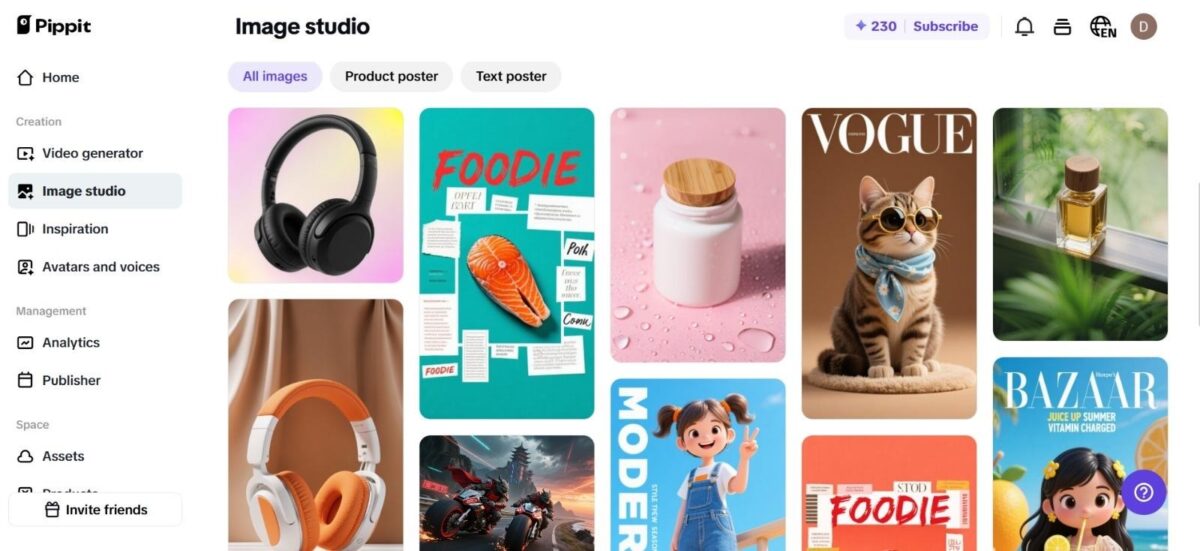
The Psychology Of Sharp Visuals
A crisp image isn’t only technically superior; it’s emotionally compelling. Eyes are instinctively drawn to sharp details because they reflect the way we perceive the world in everyday life.
Soft or blurry images put people at arm’s length, but crisp ones bridge the distance and seem more tangible.
Here’s how to think about it:
- An in-focus product photo allows potential customers to examine the quality, increasing trust.
- A crisp travel snap freezes textures — cobblestones, waves, or peaks — that provoke wanderlust.
- An upgraded portrait highlights expressions and energy, drawing people in to the narrative.
Sharpening tools are not about simulating perfection. They’re about recovering punch, making every pixel count.
Why Blurred Isn’t Always Bad
Here’s the surprise — blur can be beautiful. For example, motion blur is applied to render videos and images fast, dramatic, or artistic-looking.
A blurring trail for a runner makes him appear faster; a night city illuminated with streaks of lights makes it alive.
But the secret is control. Blur needs to be done on purpose, not by mistake. A sharpening tool enables creators to maintain their points of focus sharp — such as faces or products — and have stylistic blur soften the background instead. That mix of hardness and softness is what gives content that cinematic feel.
Instagram Vs. Reality: Why Sharpening Makes The Difference
The truth is, most of us don’t shoot photos in perfect lighting with professional cameras.
We’re snapping at concerts, in crowded streets, or during quick moments with friends. Sharpening is what bridges the gap between casual reality and polished feeds.
For brands, it’s even more essential. A blurry ad looks unprofessional, while a crisp one exudes power. For influencers, crisp pics halt scrollers in their feed. For regular folks, it’s about pride — posting a photo that indeed looks the way the memory did.
That’s the magic that sharpening accomplishes: making real life shareable moments.
Where Sharpening Intersects With Storytelling
Sharpening is more than a filter; it’s a narrative device. Each sharp edge and defined detail provides depth to your story.
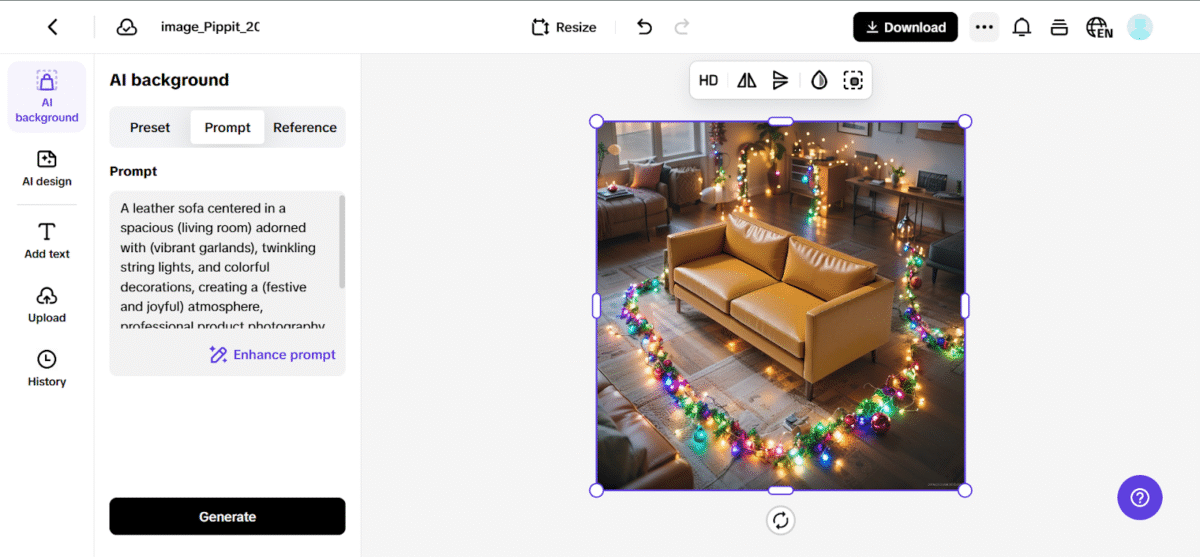
Picture combining those sharp, detailed product images with innovative edits like those enabled by Pippit’s AI background generator.
Together, these tools not only define your subject but put it in its ideal environment — from chic studios to idyllic landscapes.
Improving Across Forms And Trends
Sharpening isn’t just for glossy magazine appearances. Sometimes all it takes to make Stories, Reels, or memes more readable and interesting is a little sharpening.
In other cases, a strong boost might turn a poorly lit photo into something that is worthy of being shared.
Sharpening goes well together with other creative types:
- Sharpened selfies combined with filters create TikTok dances that stand out.
- Refined product images sharpened for legibility establish credibility on commerce websites.
- Vintage photographs processed and reused for nostalgia posts take followers with you for the ride down memory lane.
And if you want to really surprise your viewers, combine strong images with video stunts like reverse video, transforming ordinary visuals into surprising creative moments.
When fuzzy turns fantastic with Pippit
So how do you really sharpen an image without leaping into Photoshop tutorials or cumbersome desktop applications? That’s where Pippit excels.
Its AI-powered features make sharpening easy, straightforward, and quick — ideal for creators and brands alike who need results in minutes, not hours.
And since Pippit is not all about clarity, you can further refine your sharpened image by playing with backgrounds, captions, or built-in tools that enhance content.
The Three-step Glow-up: Sharpening Images Using Pippit
Now that you have the why, here’s how. Here’s how you can sharpen any image using Pippit in three easy steps.
Step 1: Insert your photo
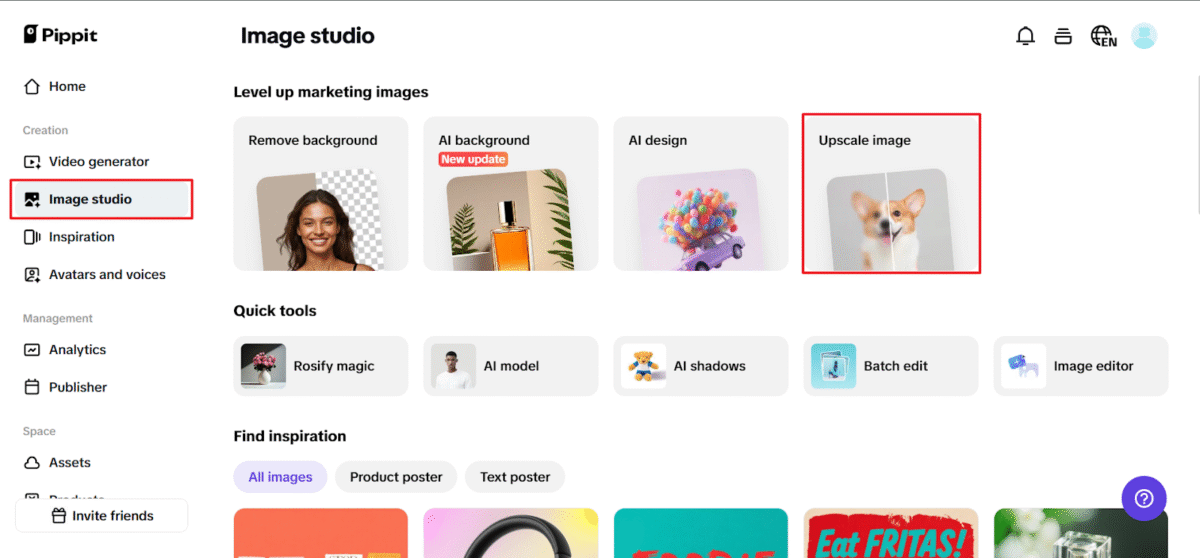
Choose the Upscale image feature in Pippit’s Image Studio. You can import the picture from cloud storage, drag and drop it straight into the interface, or upload it from your device. JPG and PNG are among the image formats that the system supports.
Step 2: Sharpen it Quickly
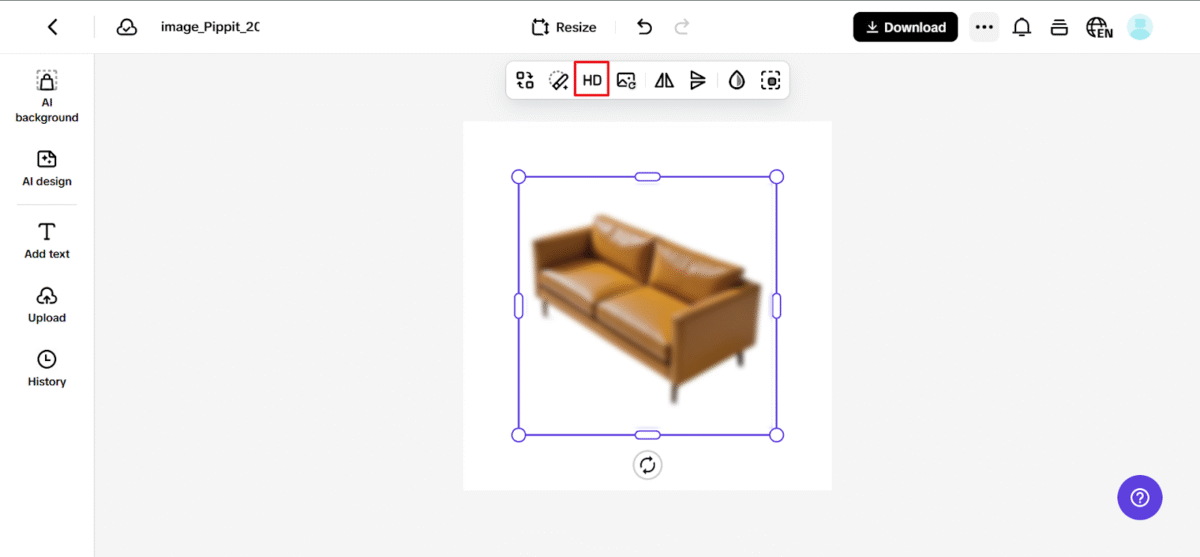
When your image is uploaded, press the Upscale button on the pop-up. Sit back and observe in real-time as technology does its magic, applying different intensities of sharpening to different regions of your image.
For further personalization, you may utilize AI Background to insert a background to your photo.
Step 3: Review & save
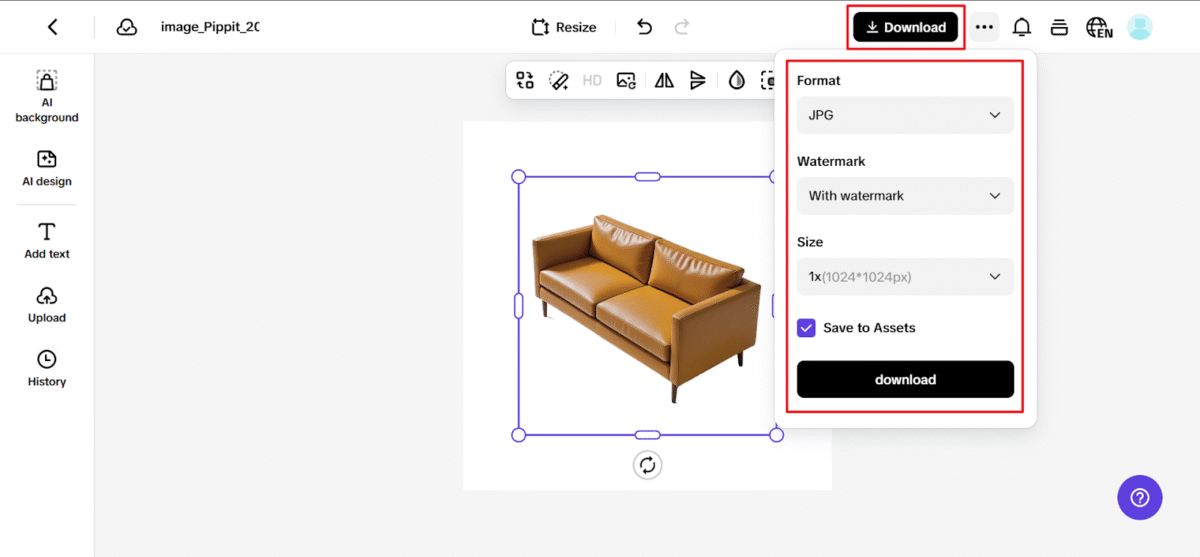
Once the automatic sharpening is finished, click the Download button in the top-right corner, choose your desired file type and quality settings, and save your sharp, professional-quality image to your device.
Why Sharper Visuals Win On Social Platforms
Each platform has its own idiosyncrasies. Instagram prefers visually appealing feeds, TikTok enjoys grabbingby thumbnails, and Pinterest shines with high-quality statics. But in every case, sharpness translates to credibility.
A crisply written product ad will be more likely to convert. A crisply taken portrait will be more likely to be commented on.
A crisply taken travel photo will be more likely to be shared. Sharpening is the one-size-fits-all booster that makes content stand out wherever it’s posted.
Conclusion: use Pippit to transform informal photos into valuable material.
Sharpening is ultimately about more than just pixels. It has potential. With Pippit’s image sharpener, the most off-the-cuff snaps can be turned into scroll-stoppers that command attention, create engagement, and set forth your story in a way that matters.
And with resources like AI backgrounds, captioning, and even creative video effects, Pippit empowers creators and brands to do more than edit — it empowers them to elevate.
So the next time you take a blurry-but-loved picture, don’t delete it. Sharpen it, transmit it to Pippit, and watch it go from a menial memory to a masterpiece fit for consumption. Your readers (and your engagement metrics) will appreciate it.
